Your whole dining operation, in one system.
culinaryai is the dietary management system for senior living. Culinary directors use it to standardize recipes, build menu cycles, generate production sheets, and pull nutrition and allergen reports — without the binders, the broken spreadsheets, and the scramble before a survey.
Request Free Demo
If you run dining for a senior living community, you know the problem.
Recipes live in binders and in people’s heads. Menu cycles sit in a spreadsheet that breaks every time someone’s out. Nutrition and allergens get recalculated by hand. Production is half guesswork. And the report a surveyor or dietitian asks for is never the one that’s ready. When an experienced cook leaves, the consistency leaves with them.
One place for the work that runs your kitchen
Not a pile of features — the things a dietary program actually has to do every week, connected so they stay in sync.
Standardize every recipe
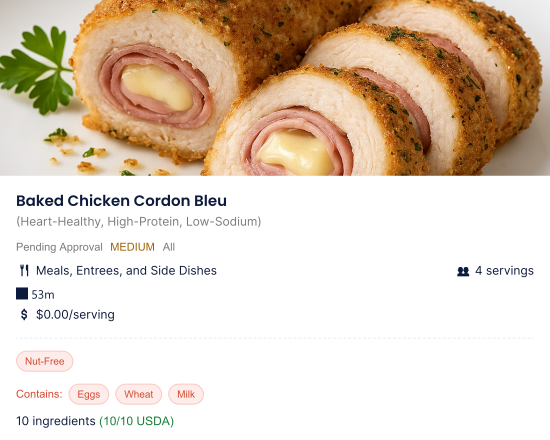
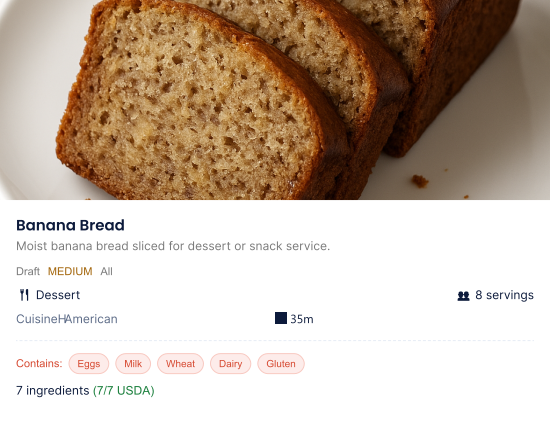
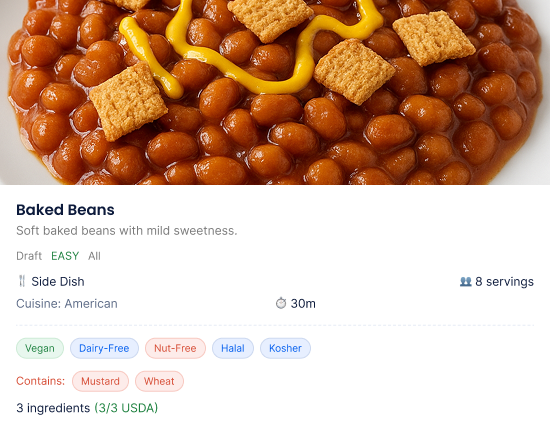
Every recipe lives in one library with portions, costing, nutrition, and allergens attached. A new cook plates the dish the same way the last one did. Consistency stops depending on who’s on the line that day.
- Portions, costing & nutrition on every recipe
- Allergens flagged automatically
- One library the whole kitchen works from
Build menu cycles that hold up
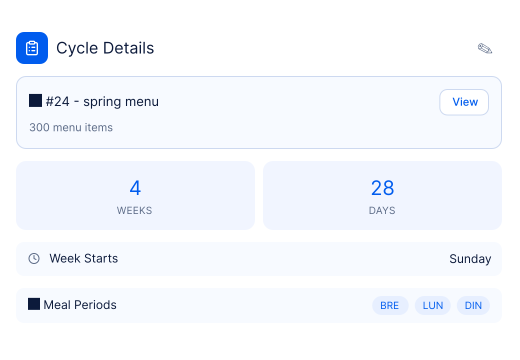
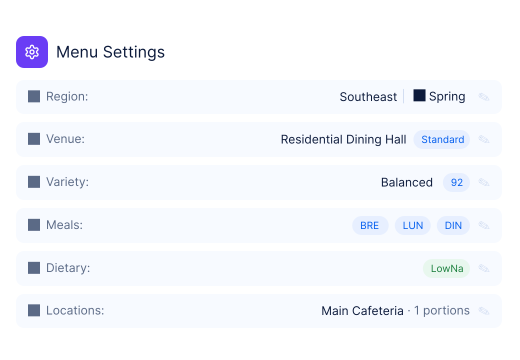
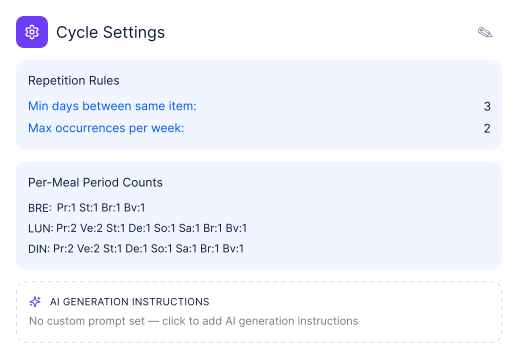
Plan multi-week cycles by season and station, then reuse them. Set the cycle once and generate the calendar; a change to a recipe flows through every day it appears. No rebuilding the spreadsheet from scratch each rotation.
- Multi-week cycles you set once and reuse
- Changes flow through automatically
- Rotate by season, station, and preference
Turn the menu into the kitchen’s day
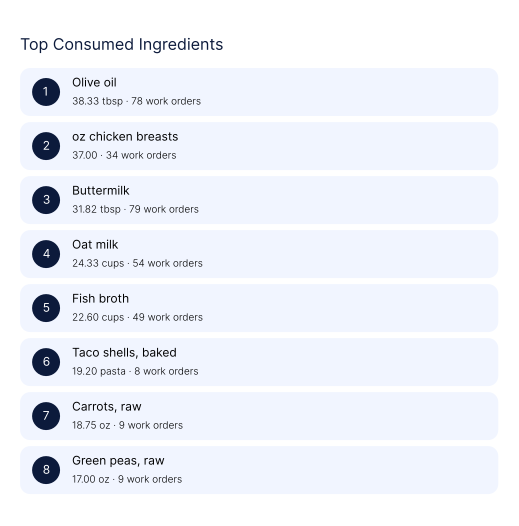
Production sheets and work orders are generated from the menu and resident counts — so the line knows what to make, how much, and for which diets, before service starts. Less over-prep, less waste, fewer last-minute surprises at peak.
- Production sheets built from menu & counts
- Batch scaling without redoing the math
- Diet-specific quantities, ready before service
Be ready before they ask
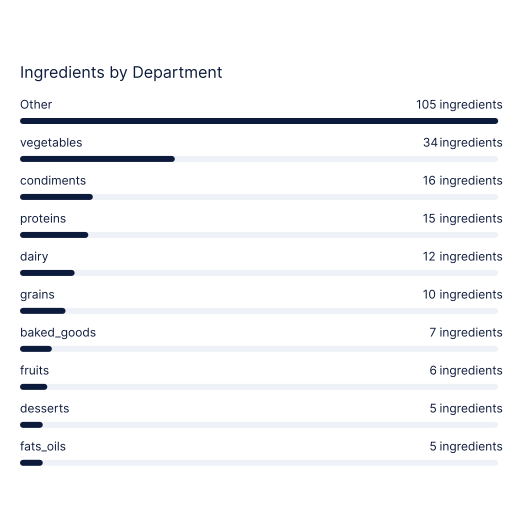
Nutrition, allergens, and food-waste data are captured as you work, not reconstructed later. When a surveyor, dietitian, or administrator needs a report, you pull it in seconds instead of giving up an afternoon to it.
- Nutrition & allergen reporting on demand
- Food cost and waste you can actually see
- Survey- and audit-ready, all the time
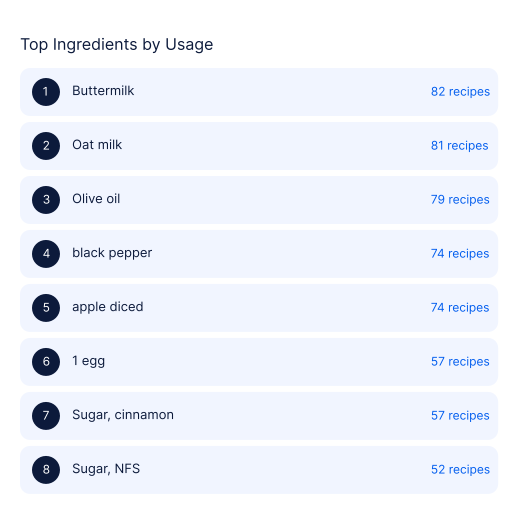
Built around how dietary teams actually work
The director gets oversight and consistency. The kitchen gets clarity under pressure.
Run the program, not the paperwork
- Standardize recipes & menus so quality holds across shifts and communities
- See food cost, nutrition, and waste without rebuilding a spreadsheet
- Stay survey- and audit-ready with reports already in the system
- Reduce how much the operation depends on any one person staying
- Onboard new staff faster — the standard is in the system
Clear direction under real service pressure
- Production sheets that say what to make and how much, by diet
- Allergens flagged right on the recipe — no second-guessing
- Scale a batch up or down without redoing the math
- The same recipe, plated the same way, every time
- Less time on prep math, more time on the food
Where the AI actually helps
culinaryai drafts recipes to a spec you set, suggests substitutions when an ingredient is out, and scales batches — then your team reviews and approves. It takes the busywork off the dietary team. It does not make the calls. The culinary director stays in control of every menu that reaches a resident.
Runs on Cardwatch 4.0
culinaryai is connected to the resident profiles, diet orders, and meal counts already in Cardwatch — one system from resident data to the plate. No separate logins, no double entry, no copying numbers between tools that don’t talk to each other.
Less time on paperwork, more on the dining room
Consistency that survives turnover
The standard lives in the system, so it doesn’t walk out the door when staff do.
Hours back from manual work
Nutrition, costing, and reporting that used to be done by hand are done as you go.
Audit-ready, not audit-panicked
The reports surveyors and dietitians ask for are already in the system.
Costs and waste you can see
Food cost and waste are visible per recipe and per cycle, not a guess at month-end.
“The value isn’t another dashboard. It’s that my team stopped rebuilding the same menu spreadsheet every month — and we’re ready when the surveyor walks in.”
— Director of Dining Services, Humber senior living
See culinaryai on your own menu
A short walkthrough using your dining program — your cycle, your diets, your reports. No obligation, just a look at how it would run.
15-minute live demo · Tailored to your community · Or call 877-953-7575